Introduction
LEGO is one of those tools that makes learning feel a lot less intimidating. It is hands-on, visual, and just playful enough that kids usually forget they are learning something serious. During my time working at an NGO focused on teaching programming and robotics to children, I had the chance to develop and run classes around these ideas. One of the activities I put together used the WeDo 1.0 kit and Scratch 1.4, and it was meant to be a friendly introduction to both the hardware and the programming side of things.
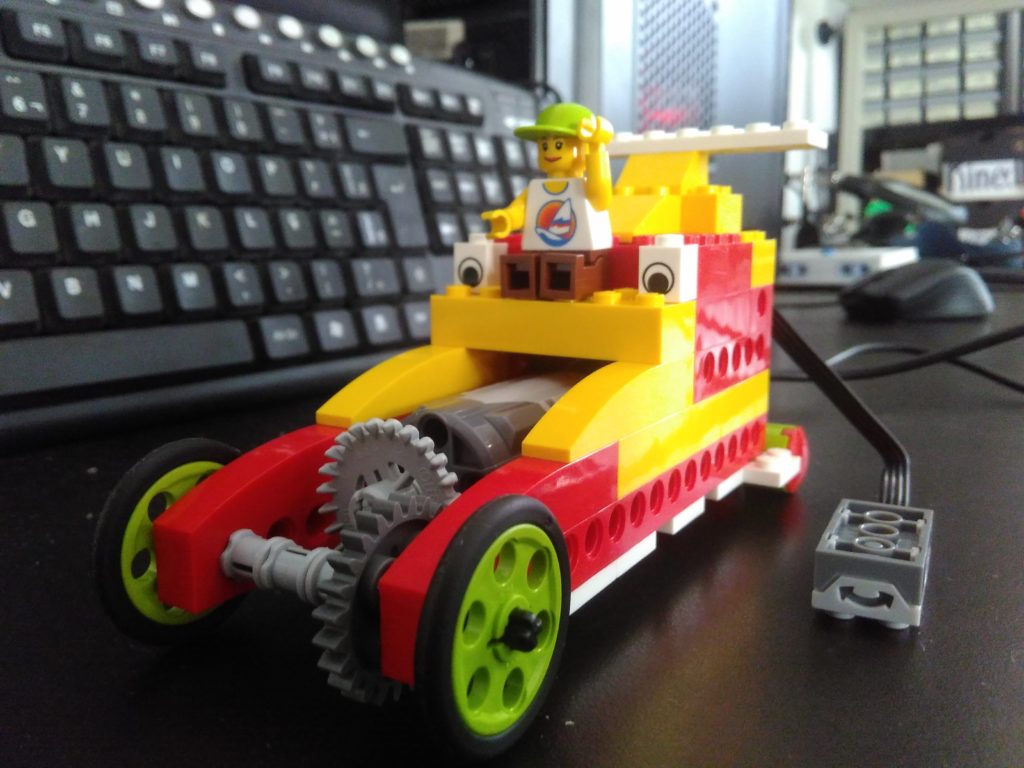
By the end of the class, the children were supposed to have built a small remote-control cart and understood how it worked well enough to program it. The result was always a nice mix of excitement and concentration, and the video below shows the kind of behavior the class was aiming for.
I have included the materials I prepared for the class here: the rules for using the kit, the activity guide, and a more detailed set of building instructions generated in HTML with LEGO Digital Designer.
Class rules
These rules are the kind of things that are easy to forget in the middle of the excitement, so I made sure to remind the kids at the beginning of every session. They are simple, but they make the whole experience smoother.
-
Everyone is responsible for the kit and the parts that will be used in the assembly.
-
After selecting the parts for the day, the kit should be closed and remain so until the moment of returning the parts.
-
The exchange or loan of parts between kits is not allowed.
-
Once assembled and programmed, the model that was built needs to be disassembled and returned to the box.
-
You will be allowed to leave after disassembling and storing the material in its box.
-
Lego pieces are small and delicate and require care. We are all responsible for them.
-
Assemblies will occur individually or in pairs, according to the orientation of the monitors.
Class plan
Activity book
The activity book was meant to be given to each child at the beginning of the session. They could explore it at their own pace and ask for help whenever they got stuck.
HTML instructions
CLICK HERE FOR INSTRUCTIONS IN FULL SCREEN
If you want to use the class or adapt it for your own group, feel free to leave a comment. I am always happy to hear how other people make use of these ideas.
Comments
Comment with your GitHub account.